Inventory forecasting from the Excel file you already have
Most planning still runs on a spreadsheet: an export from the ERP, a few formulas, a lot of judgment, rebuilt every month. NextDemand starts from that same export — Excel or CSV, from any system — and gives you a forecast for every item and a recommendation you can act on: what to order and when, what to sell down, and what it costs to wait.
Where the spreadsheet runs out
- Averages hide the pattern. A monthly average treats a part that sells twelve units once a year the same as one that sells one a month. For the slow, irregular items that fill most catalogs, the average is the wrong number to order from.
- Lead times live in someone's head. A formula rarely knows that one supplier takes a week and another takes three months, so orders go out too early or too late.
- It doesn't scale past the top items. Hundreds of items get one rule; only the best sellers get real attention. The long tail is where cash freezes and stockouts hide.
- It is stale the day it is built. And it depends on the one person who knows how it works.
How it works
- Export what you have. Sales lines per item with dates and quantities — and, if you have them, current stock, suppliers, lead times and costs. Excel or CSV, from Priority, SAP Business One, NetSuite, Microsoft Dynamics, another ERP, or a spreadsheet you maintain.
- Map the columns once. The upload wizard reads your headers, proposes which column is the date, the item, the quantity and the supplier, and handles local date and number formats — Hebrew headers included. You confirm or correct the mapping.
- Get a forecast for every item. Each item is classified by its demand pattern and forecast with a method that fits, with an accuracy score per item.
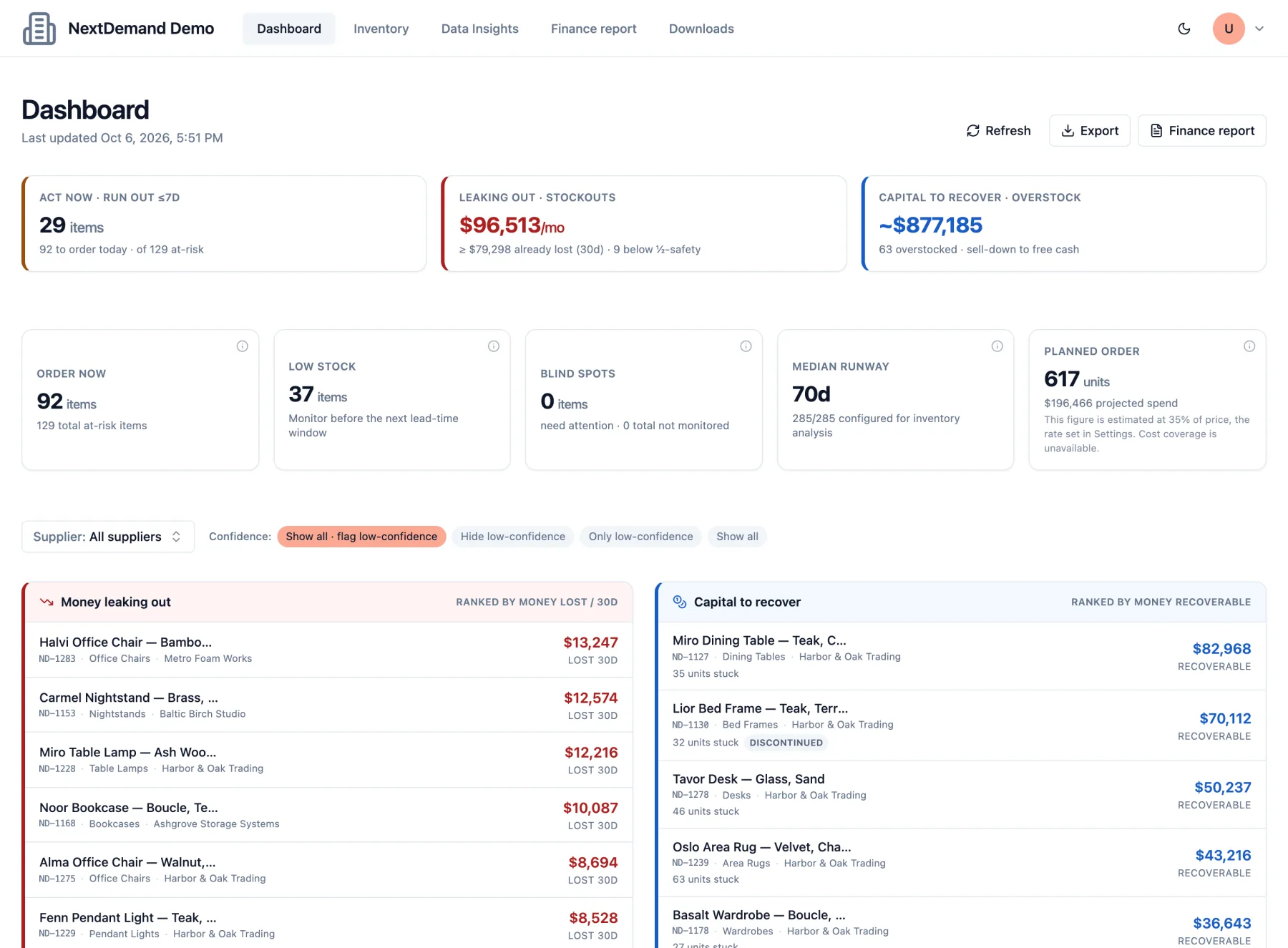
- Act on decisions, ranked by money. What to order now, sized to the lead time; what to sell down; sales already lost to stockouts; items that need a second supplier — and a list of recommended orders you can export back to a spreadsheet.
The minimum you need
One file of sales history per item — date, item, quantity — is enough for a forecast. Stock levels and lead times turn it into order recommendations; costs and prices add the money view. Start on a single dataset and add the rest when it is useful.
Frequently asked questions
Which systems can I export from?
Any system that can export sales history to Excel or CSV — Priority, SAP Business One, NetSuite, Microsoft Dynamics and others, or a spreadsheet you maintain yourself. The upload wizard maps your columns, so the file does not need a special layout.
How much history do I need?
More is better, but there is no hard minimum: items with little history are still forecast, and are marked low confidence when the history is too thin to trust.
Can I keep using Excel?
Yes. Recommended orders export to a spreadsheet, so NextDemand can feed the file your team already works with rather than replace it.
Does the file need to be in English?
No. Hebrew column headers and local date and number formats are handled, and the whole product works in Hebrew and English.
Bring the file, see the forecast
Open the live demo — a working NextDemand environment on a sample company, no signup — or book a 30-minute demo and we will load your own export together.