Inventory forecasting for companies that run on Priority
Priority holds your sales, stock and purchase orders. NextDemand turns that history into a forecast for every item and a recommendation you can act on: what to order and when, what to sell down, and which suppliers you depend on too much — in Hebrew or English, without changing how you work in Priority.
Where Priority's own planning stops
Priority is excellent at recording what happened. Reorder decisions, though, usually rest on fixed minimum and maximum quantities per item, set once and rarely revisited. They do not adapt when an item's demand changes, they ignore that a 90-day lead time needs a different decision than a one-week one, and they handle slow, irregular items — often most of a catalog — poorly. Planners fill the gap with Excel exports, which take hours and go stale the day they are made.
How it works with Priority
- Export from Priority. Sales history per item, current stock, items and suppliers with their lead times — standard Priority reports. We help you map the export on the first call.
- NextDemand forecasts every item. Each item is classified by its demand pattern and forecast with a method that fits it, with an accuracy score per item.
- You get decisions, ranked by money. Items to order now, sized to the supplier's lead time; cash tied up in overstock you can sell down; sales lost to stockouts; items that need a second supplier.
- You act in Priority. Export the recommended orders as a spreadsheet and place them in Priority as you do today. NextDemand reads your data; it does not write to Priority.
What Priority users get from it
- Hebrew first. The whole product — screens, reports and the AI assistant — works in Hebrew with native right-to-left layout, and in English.
- Nothing to install. No plugin in Priority, no IT project; start from an export and a single dataset.
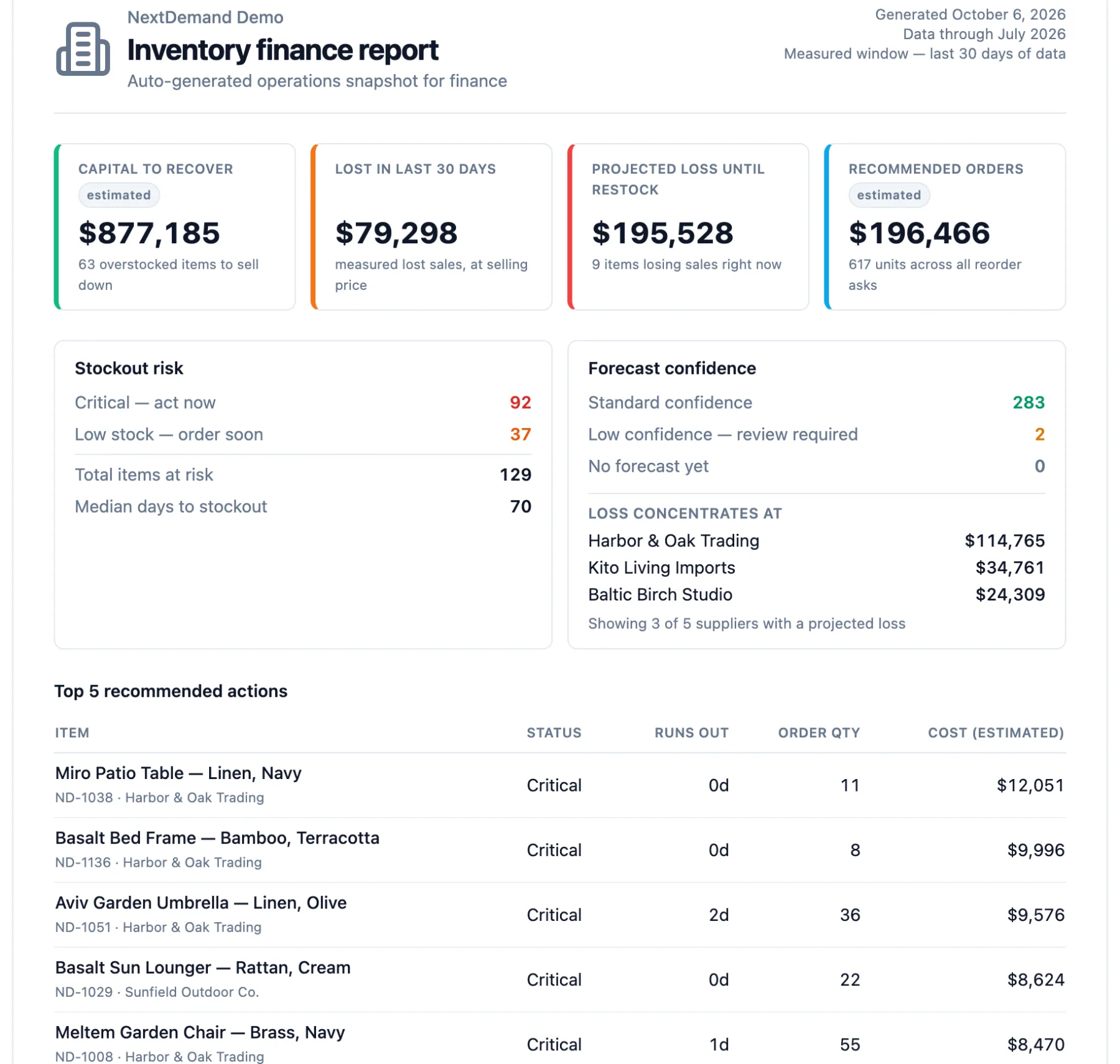
- A finance view. A one-page report for the CFO: capital to recover, sales lost, projected loss until restock, and recommended orders.
- Plain-language questions. "Which supplier is costing us the most?" — answered with named items and amounts from your own data. Item and supplier names are masked before anything reaches the AI model.
- A local team. Built and supported in Israel, in Hebrew.
Frequently asked questions
Do I need to install anything in Priority?
No. NextDemand works from standard exports of your Priority data, so there is no plugin and no change to your Priority setup.
Does NextDemand change data in Priority?
No. It reads the exported data and gives recommendations. You export the recommended orders and place them in Priority yourself.
Which Priority data is needed?
Sales history per item, current stock, and suppliers with their lead times. Purchase prices or unit costs add the money view; they are optional to start.
Is NextDemand a Priority partner product?
No. NextDemand is an independent product by MLAIA Data Science Ltd. that works from your Priority exports. Priority is a trademark of its owner.
See it before you export anything
Open the live demo — a working NextDemand environment on a sample company, no signup — or book a 30-minute demo and we will walk through your Priority export together.